
Mirror - Fullscreen Mirror App
Studio 360 Apps
Downloads
1,000,000+
Source
Google Play
Click to download now, finish the installation quickly, and directly unlock the all-round experience
Screenshots


Click to download now, finish the installation quickly, and directly unlock the all-round experience
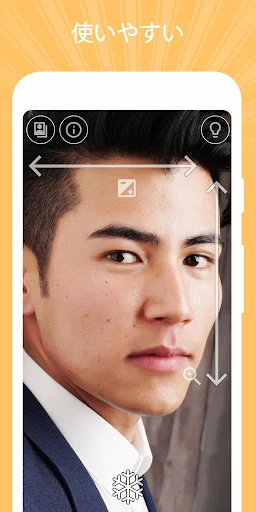
Mirror - Fullscreen Mirror App turns your phone’s front-facing camera into a full-screen reflection for quick grooming checks and seeing how you look before heading out. It suits anyone who wants a simple mirror on hand, especially when there isn’t a real one nearby. Studio 360 Apps keeps the focus on that one job rather than a general camera interface.
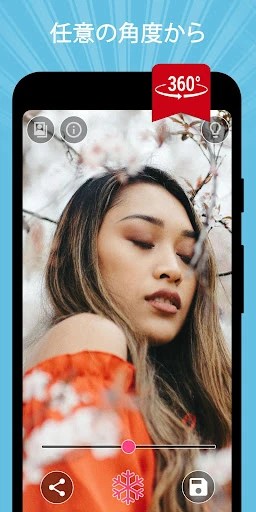
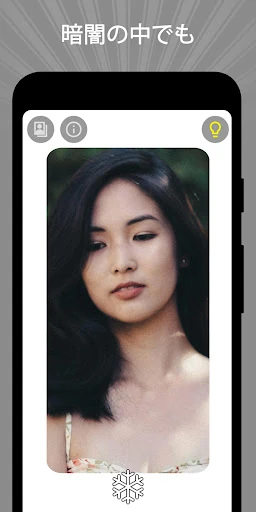
You can freeze the image to inspect a detail without taking a photo, and use a bright frame to make your face easier to see in dim surroundings. Gesture controls adjust zoom and exposure, so you can make a closer or brighter check without digging through menus. The app also offers a 360-degree view that lets you record and review yourself from multiple angles, which can help with checking a hairstyle or outfit beyond the straight-on view.
A quick settings tile provides another way to open the mirror when you need it. These extras are practical, but the core use remains straightforward: open the app and look at the screen.
For occasional appearance checks, the dedicated full-screen view and freeze option give this app a clear reason to exist alongside the phone’s regular camera. Its usefulness still depends on having enough light and being comfortable checking your reflection on a phone screen; it does not replace a physical mirror for every situation.
The 4.62 rating from 36,264 reviews and 1,000,000+ installs suggest it has found a substantial audience. If you often want a quick mirror and use the extra viewing controls, it’s an easy app to want back. If your phone’s camera already does the job, the appeal may be limited.